Learn CPMCAD, Step by Step
Every CPMCAD video, paired with a written walkthrough, screenshots, and a cleaned up transcript. Start with the overview, or jump straight to the topic you need, from building a Gantt chart to running a multi project staffing analysis.
 2:48
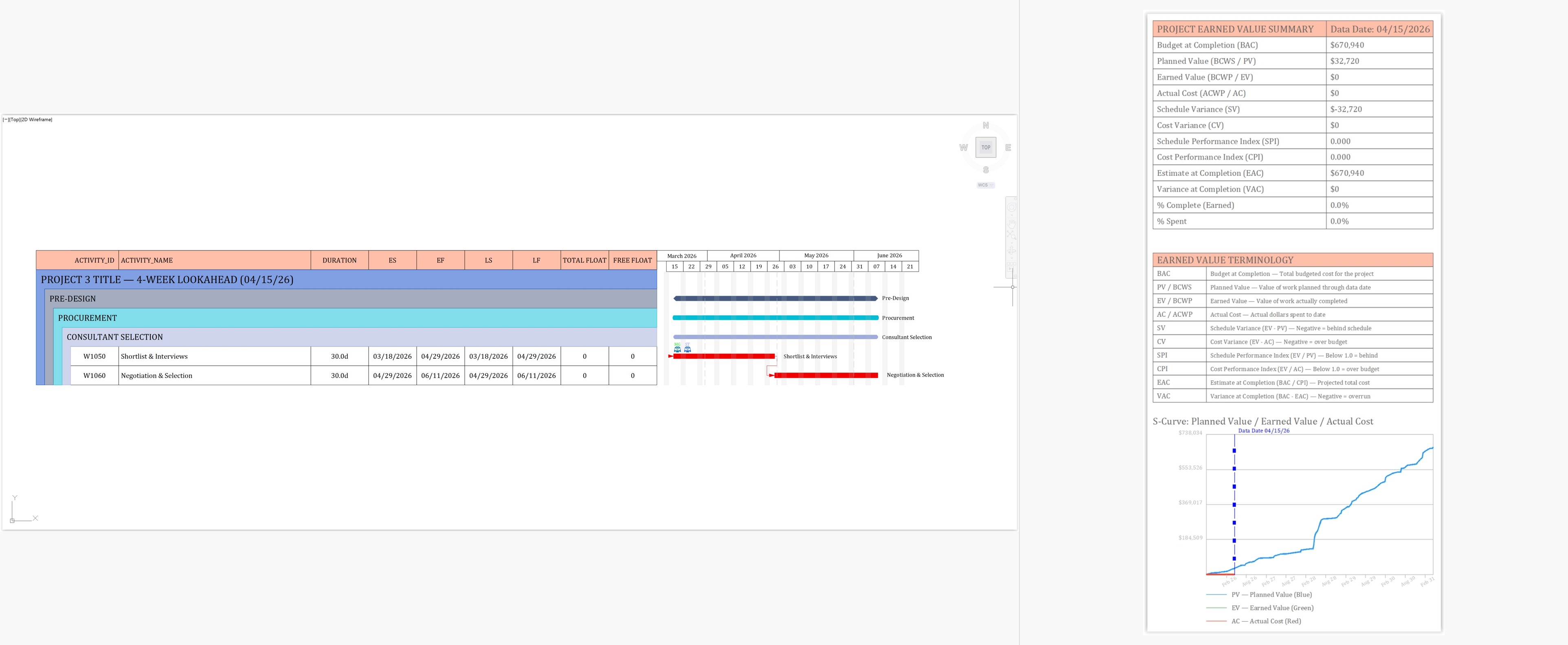
2:48Video 1: CPM Scheduling in AutoCAD
CPMCAD brings Critical Path Method scheduling into AutoCAD itself, so your schedule and your drawings finally live in the same place. This overview shows how the three pieces, Excel, the CPMCAD interface, and AutoCAD, work together.
 11:14
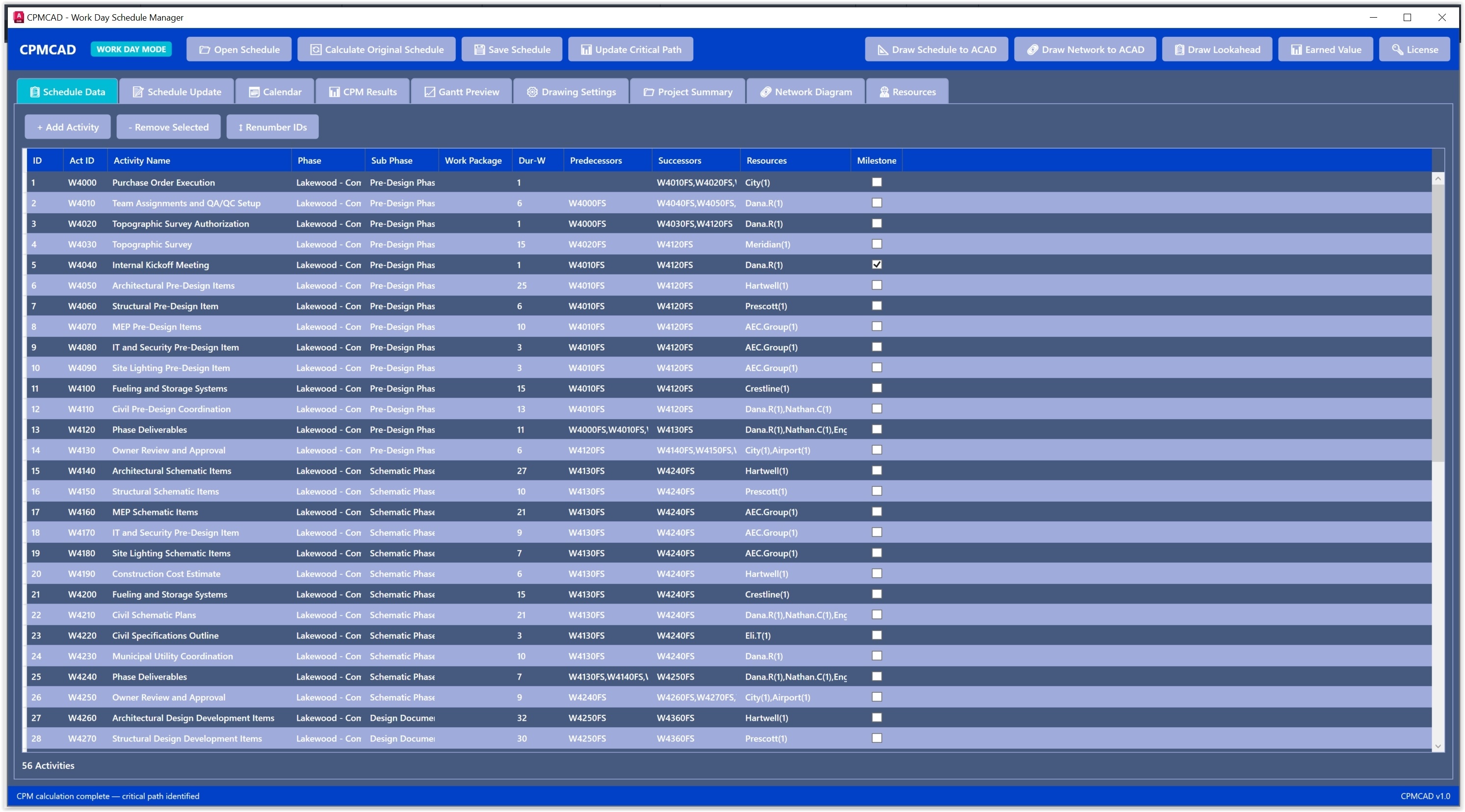
11:14Video 2: How to Build a Gantt Chart in AutoCAD
This is the deep walkthrough of the CPMCAD interface itself, the screen where you load your data, run the CPM calculations, and generate a professional Gantt chart directly inside your AutoCAD drawing.
 4:32
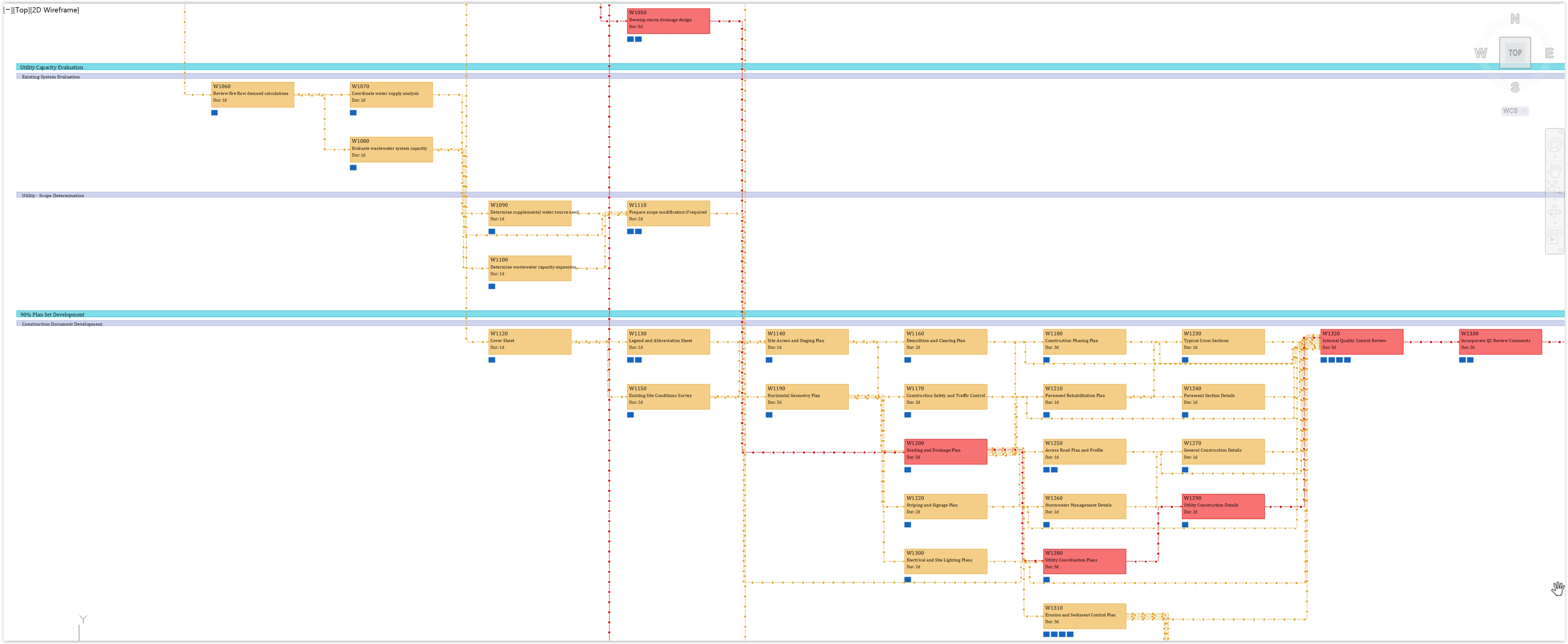
4:32Video 3: Network Diagram in AutoCAD
Every CPMCAD schedule can be drawn as a Precedence Diagram Method network directly in your AutoCAD drawing, with the critical path visually distinct from activities that carry float.
 5:10
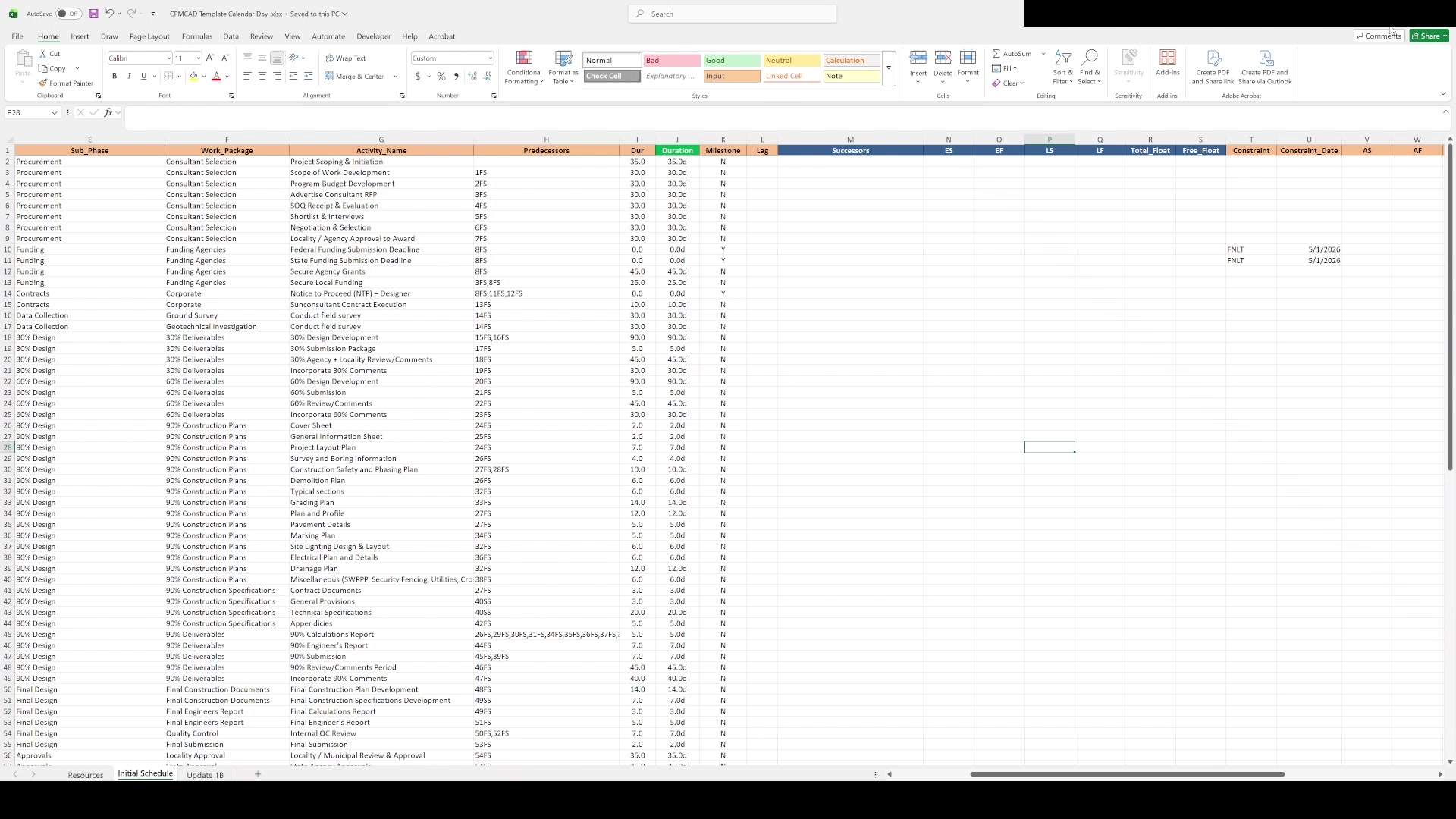
5:10Video 4: Build a Construction Schedule in AutoCAD
Every CPMCAD construction schedule starts in Excel. This tutorial walks through the template, column by column, so you can structure a real project and drive it straight into AutoCAD.
6:02Video 5: Critical Path Method in AutoCAD, Explained
Before you trust a schedule, it helps to understand the math behind it. This tutorial walks through the Critical Path Method itself, the forward pass, the backward pass, and how float and the critical path come out of that calculation inside CPMCAD.
 6:16
6:16Video 6: Resource Management in AutoCAD Schedules
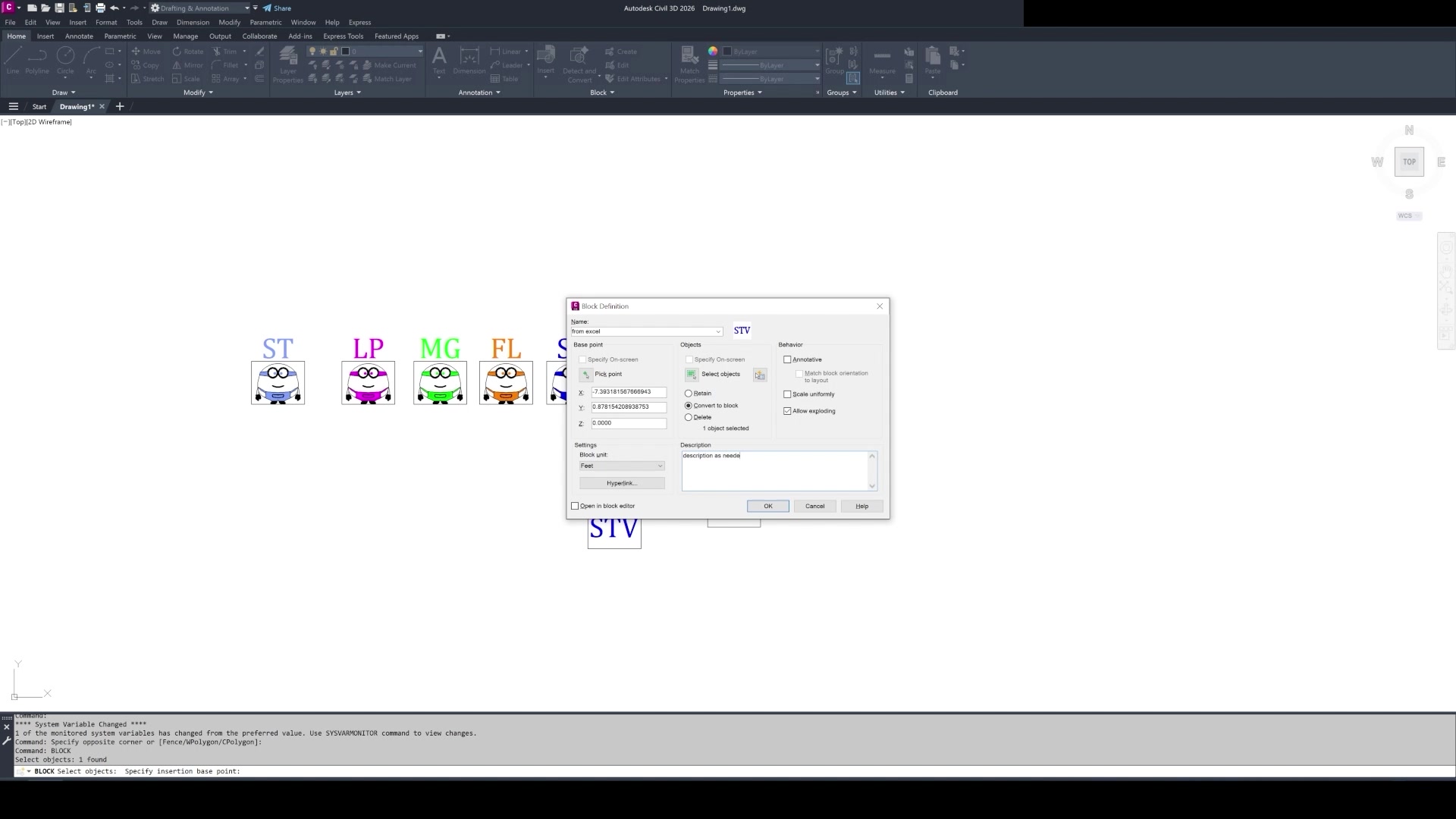
CPMCAD automatically positions resource block symbols alongside each Gantt bar based on your Excel assignments, so a project meeting can focus on the work instead of hunting for who owns what.
 2:23
2:23Video 7: Multi Project Staffing Analysis in AutoCAD
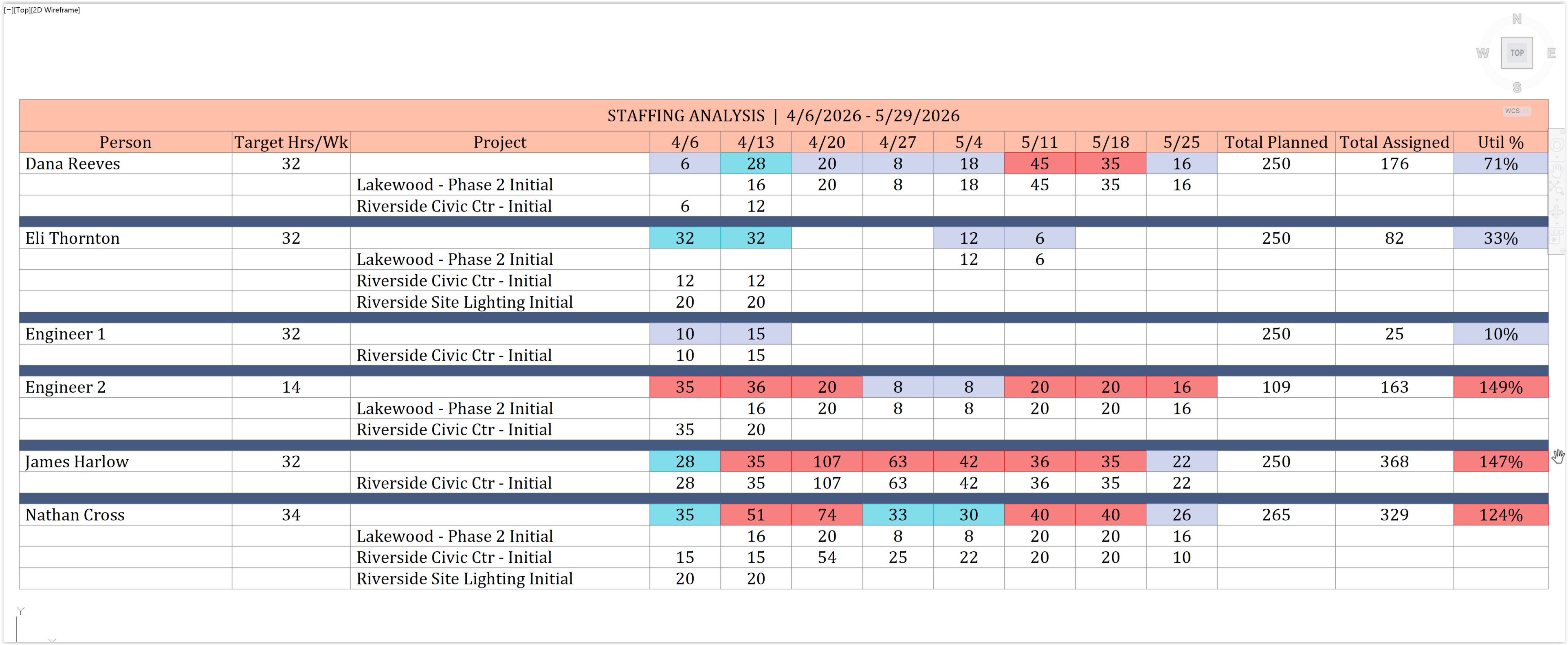
When the same people are staffed across several projects at once, CPMCAD aggregates planned hours and forecasts weekly utilization per person, so you can see who is overloaded before it becomes a problem.