From CPM calculations to print-ready Gantt charts — built for engineers who already live in AutoCAD.
CPM
Critical Path Scheduling
Full forward and backward pass with FS/SS/FF/SF relationships, lag values, constraints, and float calculation. See your critical path instantly.
See it in action
GANTT
Gantt Chart Visualization
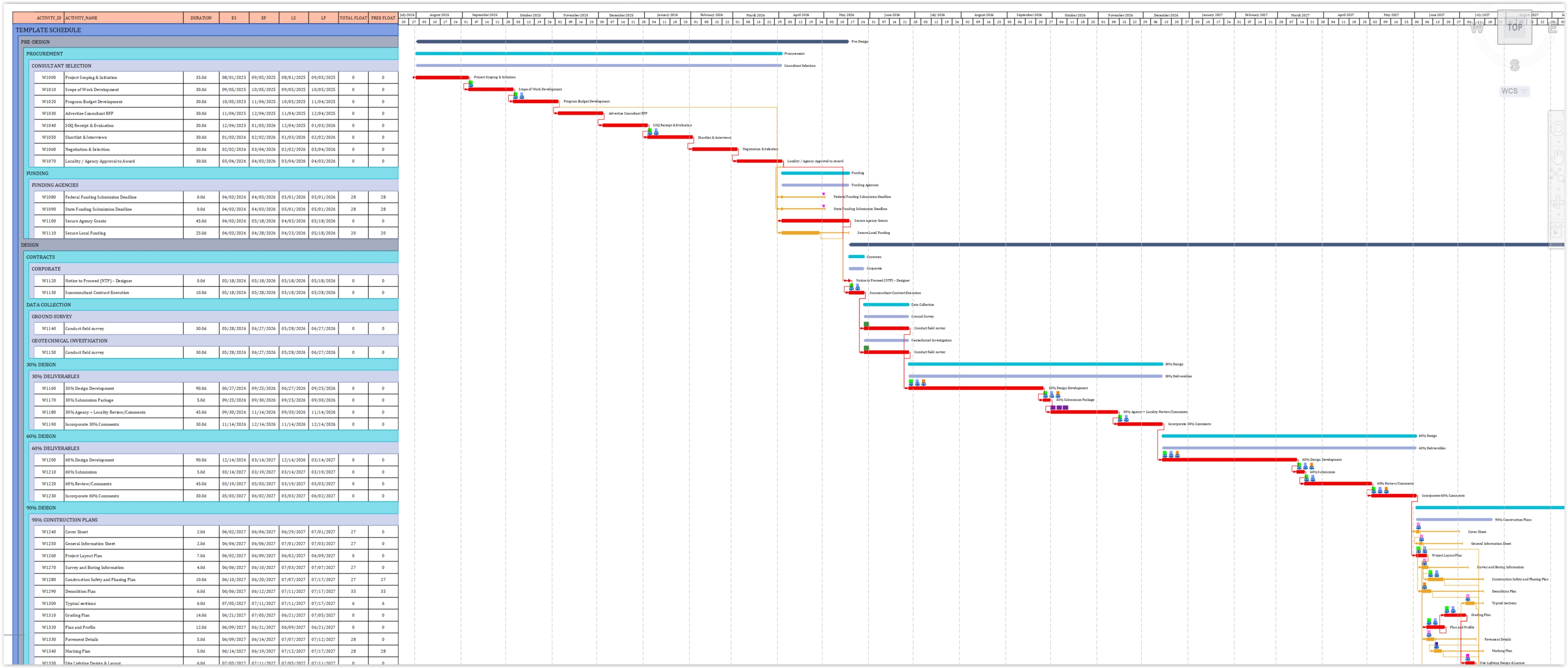
Professional Gantt charts drawn in model space at print-ready scale. Progress bars, milestones, predecessor connections, and WBS phase banding.
See it in action
NET
Network Diagrams
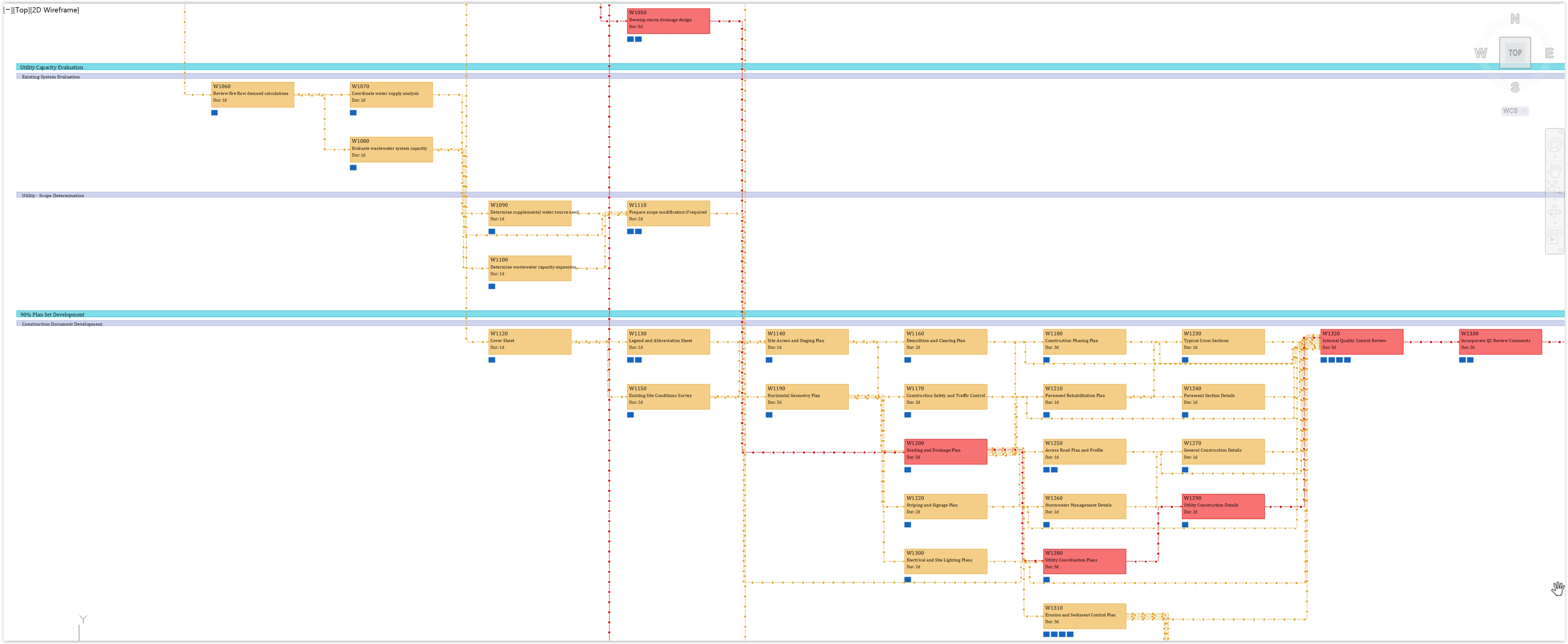
Precedence Diagram Method (PDM) network drawn directly in AutoCAD. Visual critical path highlighting with ES/EF/LS/LF in each node.
See it in action
BL
Baseline Comparison
Load a baseline schedule and see ghost bars behind current progress. Instantly visualize schedule slippage and acceleration.
See it in action
EV
Earned Value Analysis
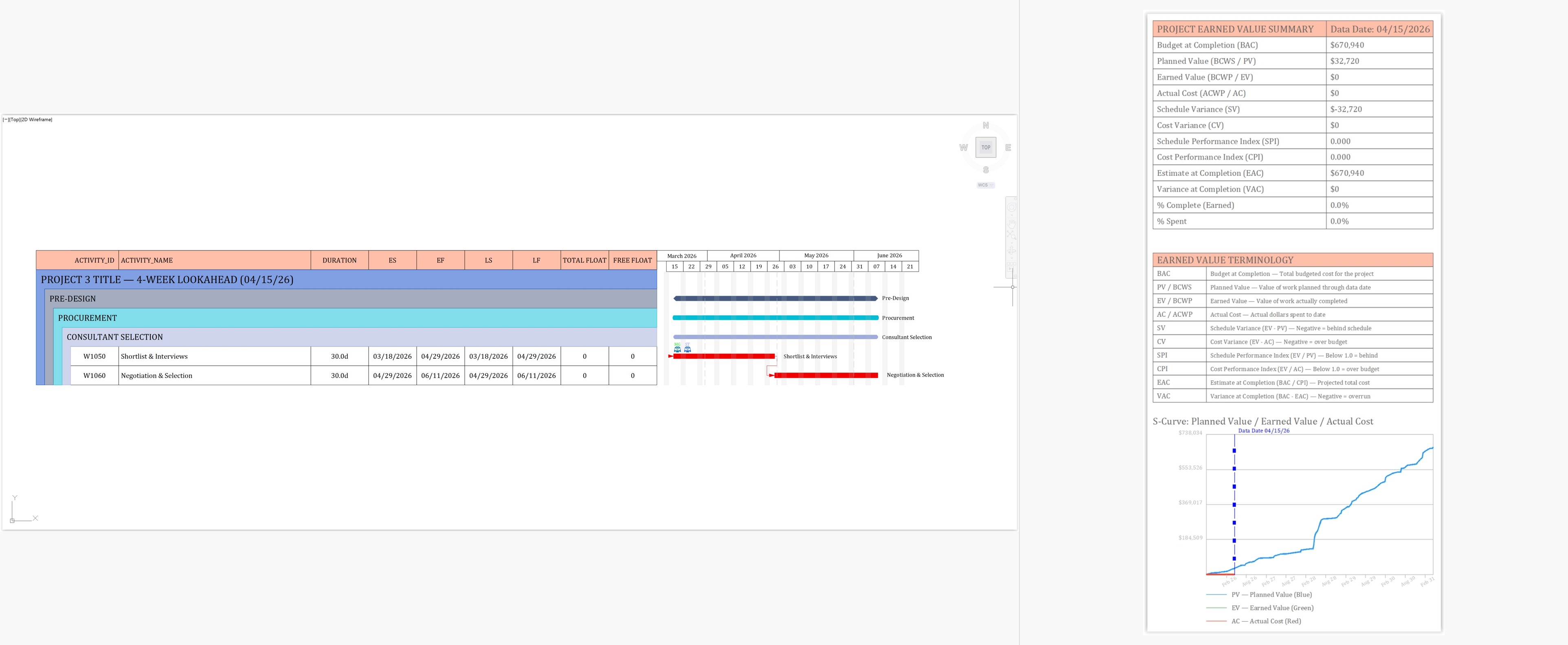
PV, EV, AC with SPI/CPI metrics. S-curve charts and summary tables drawn to CAD for inclusion in project control reports.
See it in action
LA
Lookahead Schedules
Filter to 2-week, 30-day, or 90-day windows. Generate focused short-term schedules for field coordination meetings.
See it in action
XLS
Excel Integration
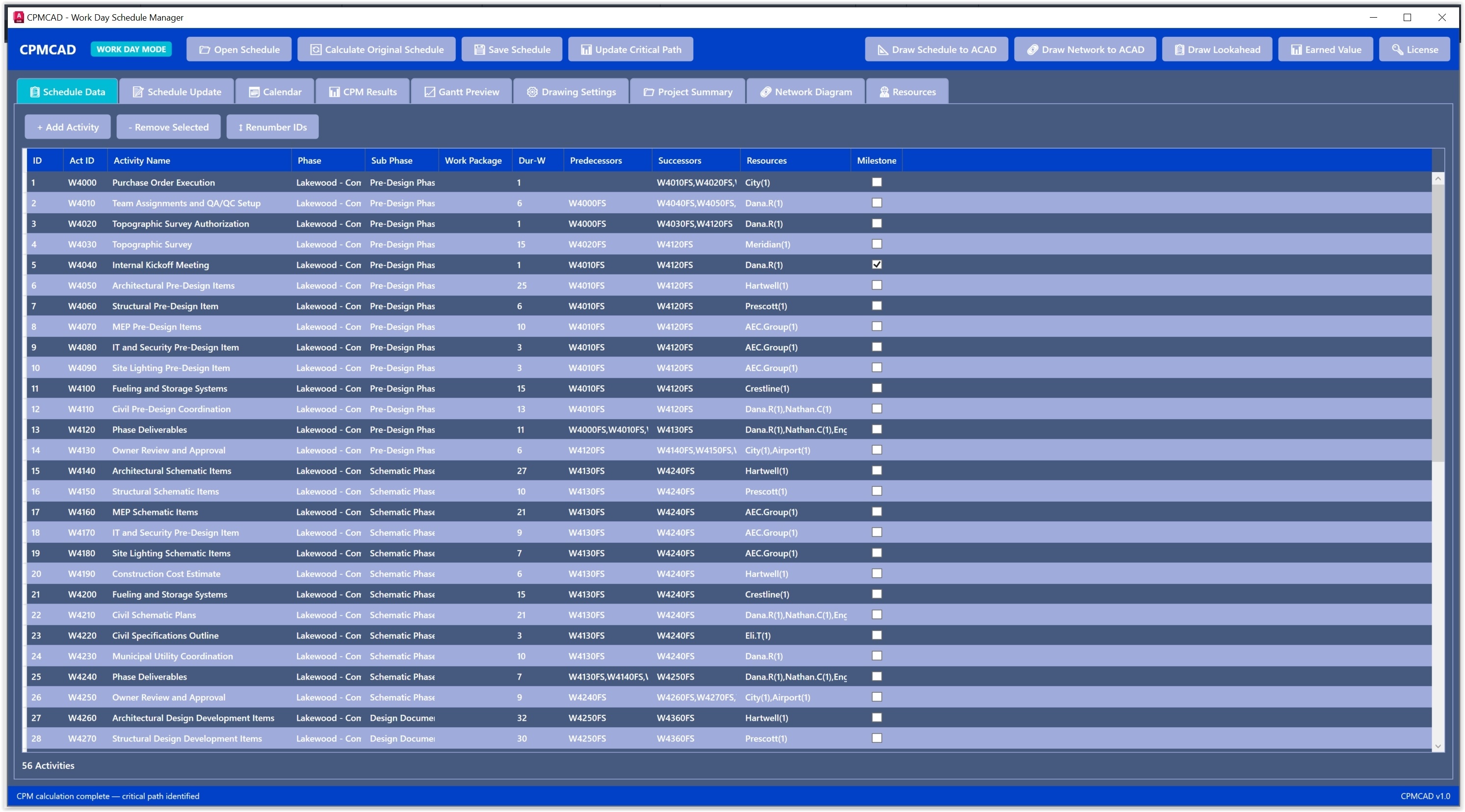
Import activities, predecessors, resources, and costs from Excel or Google Sheets (save as XLSX Format). Export updated schedules back. Your data stays portable.
See it in action
WBS
Work Breakdown Structure
Organize activities by Phase, Sub-Phase, and Work Package. Color-coded bands group related work visually on the Gantt chart.
RES
Resource Block Placement
CPMCAD automatically positions resource block symbols alongside each Gantt bar based on your Excel assignments. Every team member can instantly see the tasks they own — making project meetings more focused and conversations about responsibilities and expectations more productive.
See it in action
STAFF
Multi-Project Staffing Analysis
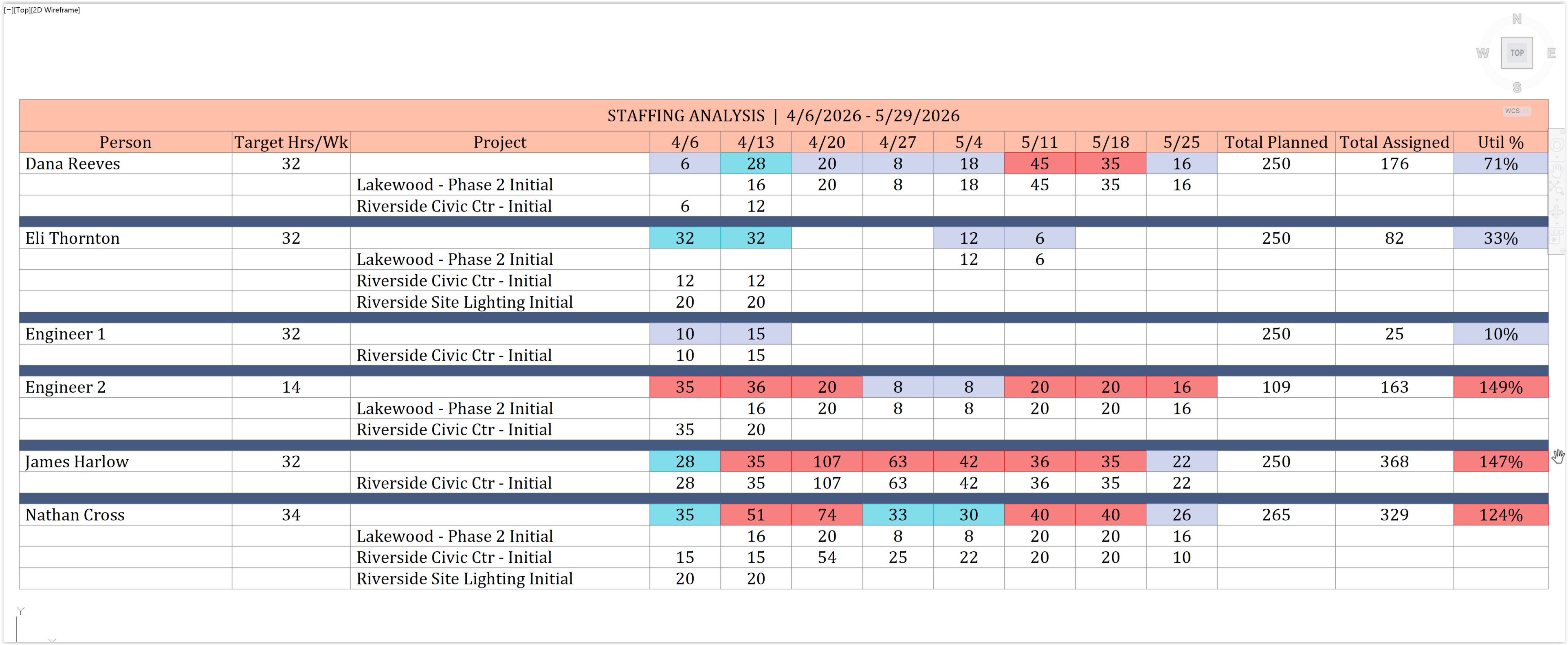
Aggregate planned hours across multiple projects and forecast weekly utilization per person. Color-coded output shows who is overloaded, on-target, or underutilized — with per-project breakdowns drawn to CAD and exported to Excel.
See it in action
CAD
Native AutoCAD Output
Everything draws as native AutoCAD entities — lines, text, hatches. Edit, plot, xref, or include in construction document sets.